⚡ Nocturnal Toolkit by Team Nocturnal

Tools ⚡ Nocturnal Toolkit by Team Nocturnal

XsMagical

Administrator

WBT+ Member
Social Media Manager
Reputation: 8%
Joined
Nov 2, 2023
Messages
25
⚡ Nocturnal Tookkit by Team Nocturnal
Android Device Manager & APK Installer — Mac + Windows

━━━━━━━━━━━━━━━━━━━━━━━━━━━━━━━━━━━━━━━━━━━━━━━━━

Version: 1.1.1 | Platform: macOS (arm64) · Windows (x64) | App ID: com.teamnocturnal.toolkit

━━━━━━━━━━━━━━━━━━━━━━━━━━━━━━━━━━━━━━━━━━━━━━━━━

What is Nocturnal Toolkit?

Nocturnal Toolkit is a desktop app for Mac and Windows that gives you a proper GUI for everything ADB can do — plus a lot more. If you've ever juggled terminal windows, random APKMirror downloads, and adb install commands just to sideload an app, Nocturnal Toolkit is what you wished existed.

It was built by XsMagical, lead dev of the Xplod and Nocturnal ROM series on XDA from 2011–2014, using Electron + React. The same energy that went into cooking custom ROMs is now in a polished desktop tool that any Android enthusiast can actually use.

━━━━━━━━━━━━━━━━━━━━━━━━━━━━━━━━━━━━━━━━━━━━━━━━━

Core Features

📦 Install APK
Drag & drop any APK or XAPK. Automatically handles split APKs — base + ABI + DPI + language splits via adb install-multiple. Queue multiple installs at once.

Screenshot 2026-03-19 at 2.13.27 PM.webp


🔍 Search APKs
Parallel search across APKMirror, APKPure, Aptoide, GitHub, F-Droid, and Uptodown simultaneously. Filter by source, architecture, and verified-only results.

Screenshot 2026-03-19 at 10.35.20 AM 1.webp


🏪 App Stores (9)
One-click direct install for F-Droid, Aurora Store, APKPure, Aptoide, Uptodown, TapTap, Epic Games, Galaxy Store, and APKMirror. Detects if already installed on device.

Screenshot 2026-03-19 at 10.35.27 AM.webp


🗂️ Manage Apps
Lists all sideloaded packages on your device. Launch, uninstall, or clear app data with one click. Live search across hundreds of apps instantly.

Screenshot 2026-03-19 at 10.35.34 AM.webp


💾 Backup & Restore

The new Backups panel lets you back up any installed app directly from Manage Apps and restore it to any connected device with one click.

Screenshot 2026-03-19 at 3.19.48 PM.webp


How it works:
  • Hit ⬇ Backup on any app in Manage Apps — Nocturnal Toolkit pulls the APK, OBB files, and app data (if rooted) automatically
  • All backups appear in the new 💾 Backups panel with the package name, timestamp, device model, Android version, and file count
  • Split APKs are fully supported — the badge shows how many files were backed up (e.g. APK · 5 files)
  • ⚡ Restore — reinstalls the app to any connected device, handles split installs and OBB pushing automatically
  • 📂 Show in Finder — opens the backup folder directly so you can manage files manually
  • 🗑 Delete — removes the backup from disk
  • All backups saved to ~/Downloads/Nocturnal Toolkit/Backups/

Device to device transfers:
  • Back up a game from Device A — APK and OBB are pulled to your Computer
  • Connect Device B and drag the backed up APK onto the Install APK drop zone
  • Nocturnal Toolkit automatically detects the matching OBB from the backup folder and attaches it — ✨ Auto-detected from backup
  • One click installs everything — no manual steps required

📱 Devices
USB and wireless ADB support. Wireless pairing via 6-digit code. Real-time device info: Android version, battery %, transport type, and storage usage.

Screenshot 2026-03-19 at 10.35.40 AM.webp


🖥️ ADB Logs
Full shell terminal with quoted argument support, real-time logcat streaming (batched, capped at 2000 entries), port forwarding rules manager, and a file browser with pull-to-local.

Screenshot 2026-03-19 at 10.36.06 AM.webp


🔌 Drivers
Real driver detection via pnputil on Windows. One-click install for Universal ADB, Meta Quest, Google USB, and Samsung USB drivers. Homebrew ADB installer on Mac — no drivers needed.

Screenshot 2026-03-19 at 10.35.59 AM.webp


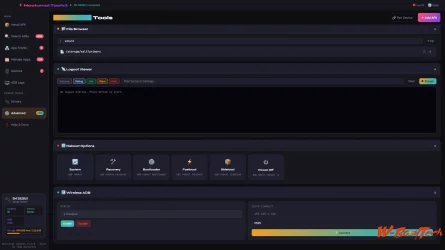
⚙️ Advanced Tools
ADB shell with quick commands and favorites, all reboot modes (System, Recovery, Bootloader, Fastboot, Sideload, Power Off), and a wireless ADB enable/disable toggle.

Screenshot 2026-03-19 at 10.36.20 AM.webp


━━━━━━━━━━━━━━━━━━━━━━━━━━━━━━━━━━━━━━━━━━━━━━━━━

How the APKMirror Pipeline Works

Nocturnal Tooklit uses a three-stage stealth browser flow for APKMirror to handle their bot protection. It runs a persistent Electron BrowserWindow session to search, resolve the variant/download key URL, then streams the file with live progress — no CAPTCHAs, no rate limit issues, no redirect hell. All downloads land in ~/Downloads/NocturnalToolkit/ automatically.

━━━━━━━━━━━━━━━━━━━━━━━━━━━━━━━━━━━━━━━━━━━━━━━━━

Tech Stack

  • Framework: Electron v35 + React + Vite
  • Builder: electron-builder v25
  • Device comms: ADB (Android Debug Bridge)
  • Platforms: macOS arm64 DMG · Windows x64 NSIS installer
  • App ID: com.teamnocturnal.toolkit

━━━━━━━━━━━━━━━━━━━━━━━━━━━━━━━━━━━━━━━━━━━━━━━━━

App Store Support Status

✅ Direct install: F-Droid, Aurora Store, Aptoide, APKPure, APKMirror, Galaxy Store (pre-installed detection)
⚠️ Browser fallback: Uptodown (tries direct first), TapTap, Epic Games

━━━━━━━━━━━━━━━━━━━━━━━━━━━━━━━━━━━━━━━━━━━━━━━━━

Who Is This For?

🥽 Quest / Meta users — Sideload apps and stores onto your headset without ever touching a terminal.

🛠️ ROM & modding veterans — You already know what ADB is. This gives you a proper GUI so you can move faster.

⚡ Power users — Manage hundreds of apps, pull files from device, forward ports, stream logcat — all from one window.

🔓 De-Googlers — Install F-Droid, Aurora Store, and the entire open-source app ecosystem in seconds.

━━━━━━━━━━━━━━━━━━━━━━━━━━━━━━━━━━━━━━━━━━━━━━━━━

Built by XsMagical · Team Nocturnal · Xplod ROM · Nocturnal ROM · XDA 2011–2026 · team-nocturnal.com

 
Android  Varynx open testing.  Testers
Last edited by a moderator:
⚡ Nocturnal Toolkit — Downloads
By XsMagical · Team Nocturnal · team-nocturnal.com


Download 1.1.2

Mac ARM
Code:
https://mega.nz/file/1udTBbya#Q1NLoiaE2Da0-lq1aVUVPUngz18X-tTyo2yVB9jj7bU

Windows X64 EXE
Code:
https://mega.nz/file/5nUlVCBZ#UHin35zSRGLxH3yW4IUdtgpEYGeSmdicXQr-wjZLlYM


━━━━━━━━━━━━━━━━━━━━━━━━━━━━━━━━━━━━━━━━━━━━━━━━━


Download 2.0.0 Beta

Mac ARM Beta 6
Code:
https://mega.nz/file/Jj8klbII#1YBx_hPPu5QUh4iKG7HUD6UBNafQNiBmX-D6Y-5e9To

Windows X64 MSI Beta 4
Code:
https://mega.nz/file/RmNWQJhI#rgnvIZE44Wt-d_is1KDb3-2lMU2xSQfwEcA2ZgDAFaE

Windows X64 EXE Beta 4
Code:
https://mega.nz/file/wiNlBTrY#oJZxMLUDacFuxt0suXOsccdn4EmlKYW66TbH2yFiZMA

Android Beta 5 (PREVIEW)
Code:
https://mega.nz/file/Vn83QKxb#4CYJ0AWSy_1PP6UUWaBpWpocHn06ZRXaz8oY3H0R-jU

Mac (arm64 DMG) and Windows (x64 NSIS) builds available. Active development — feedback welcome!


Built by XsMagical · Team Nocturnal · Xplod ROM · Nocturnal ROM · XDA 2011–2014 · team-nocturnal.com
 
Last edited by a moderator:
⚡ Nocturnal Toolkit 2.0 — Beta Changelog
By XsMagical · Team Nocturnal · team-nocturnal.com


v2.0.0 Beta 6
Desktop workflow cleanup, device-care expansion, and major tool organization pass

🖥️ Desktop Layout & Navigation
  • Desktop window defaults widened and then tuned taller to better fit the full UI on first launch
  • Sidebar reorganized for a cleaner workflow:
  • New standalone Getting Started entry with star icon
  • Media moved above Power Tools
  • Advanced renamed to Pro Tools
  • Sidebar section headers can collapse to save space
  • Getting Started and Help were cleaned up so they feel like proper destination pages instead of buried utility sections

📂 File Browser & Transfers
  • Files & Transfers renamed back to File Browser
  • File Browser now fills the section directly instead of being wrapped in an unnecessary extra dropdown
  • File actions cleaned up with icon-style controls for create, copy, paste, and delete
  • Hover labels added so the file action icons are easier to understand
  • Additional file tools added: Push Selected, Pull Selected, Upload Files, Reveal Local Folder, Copy Local Path, Copy Device Path
  • Delete buttons now exist on both sides with confirmation prompts
  • Modified dates are shown in the device pane

💾 Backup & Restore
  • Backups moved into Power Tools as Backup & Restore
  • Added no-root export workflows for:
  • SMS
  • Call logs
  • Contacts
  • Device info snapshot
  • Backup & Restore is positioned directly below File Browser for a more logical desktop workflow

🧹 Maintenance & Device Care
  • Maintenance reworked into a cleaner desktop device-care dashboard
  • One-click cleanup tools now include clearer review/output messaging and better status feedback
  • Cleanup review area added so users can see what NTK found before cleaning
  • Maintenance output now better explains what the tool is doing instead of only dumping raw terminal text
  • Removed duplicate reboot/recovery actions from Maintenance
  • Removed duplicate display/UI tweak controls from Maintenance
  • Storage and file transfer controls were moved out so file workflows live in File Browser where they belong

🔧 Tweaks & Pro Tools Reorganization
  • General Tools renamed and cleaned up as Tweaks
  • Tweaks now focuses on actual tweak-style features like display settings and Private DNS
  • Unnecessary wrapper sections removed from Tweaks so simple items are shown directly
  • Removed the unnecessary “Built into NTK” section from Tweaks
  • ADB & Shell moved into Pro Tools
  • Quick Commands moved directly under Reboot Options in Pro Tools
  • Pro Tools sections now open expanded by default instead of collapsing everything on entry
  • Reference material in ROM Tools moved inside the Flash Tool section where it belongs

📱 Connected Devices & Wireless ADB
  • Connected Devices now also contains desktop connection/server controls
  • Wireless ADB pairing guidance was clarified in-app to explain the two-step Android 11+ process:
  • Pair via Code uses the temporary pairing popup port
  • Connect uses the separate port shown on the main Wireless Debugging screen
  • Fixed the old behavior that incorrectly defaulted the connect field to port 5555
  • After pairing, NTK now preserves the imported phone-provided host:port instead of overwriting it
  • Desktop backend now refreshes the device list immediately after pair/connect actions instead of waiting for the polling loop

💾 Saved Devices
  • Saved devices management expanded in Connected Devices
  • Added options to:
  • Backup saved devices
  • Restore saved devices
  • Delete saved devices
  • View saved-device history
  • Saved devices can now be moved more easily between installs or machines

📺 Media & TV Section Cleanup
  • TV & Streaming moved into its own Media section in the sidebar
  • Media section reorganized to read more clearly instead of mixing device tools and app installs together
  • TV tools now separate more cleanly into:
  • Device Tools
  • Media Tools
  • Streaming Apps
  • Universal Tools
  • Kodi section cleaned up with clearer headings like Kodi & Libraries
  • Services/info links were renamed and separated more clearly as Services & Links

🎬 Media Center App Library Expansion
  • Added direct install support for many new TV/media apps in Media Center, including:
  • Cloudstream
  • DodoStream
  • Debrify
  • NuvioTV
  • STRMR
  • WuPlay
  • Debrid Stream
  • ARVIO
  • Weyd
  • Lumera
  • Syncler
  • TizenTube Cobalt
  • Aptoide direct-install flow restored after regression
  • Native-store filler entries were removed from the Media area so it stays focused on the tools people actually need sideload support for

🧰 Interactive Debloater & Companion Tools
  • NTK now includes a built-in interactive debloater workflow instead of just pointing users to outside tools
  • Manufacturer-aware debloat guidance added so NTK can better judge Samsung/Amazon/carrier-heavy package patterns
  • Debloater now includes:
  • analysis
  • filters
  • checkbox selection
  • disable/delete/restore actions
  • batch actions
  • package export
  • richer package detail guidance
  • Package details now explain what apps do, how safe removal is, and possible warnings or side effects
  • Built-in device companion workflows expanded with screenshot, recording, stay-awake, and viewer controls

🪞 Device Preview & Live View
  • Desktop device preview flow reworked after broken image-path behavior
  • Preview/popout now uses NTK’s desktop backend capture path instead of the old broken temp-file flow
  • Live View updated into a continuous NTK stream loop instead of a manual single-refresh-only workflow
  • Popout virtual phone window support added for the connected device
  • Important note: this is an NTK-native continuous stream loop, not a full scrcpy-style low-latency H.264 mirror pipeline yet

🤖 Android Work Carried Forward Into Beta 6
  • Android local-device backend work from the Beta 5 cycle remains in place
  • Android app keeps the mobile-first navigation, local toolkit flow, maintenance mode, tweaks, and local installer behavior
  • Desktop and Android builds now diverge more cleanly without losing the shared codebase

🔧 General
  • Version bumped to 2.0.0 Beta 6
  • macOS Beta 6 build output generated successfully


v2.0.0 Beta 5
Android expansion + mobile UX overhaul + Beta 5 branding

📱 Android App — Major Mobile Overhaul
  • Android app branding updated for the Beta 5 pass
  • Version bumped to 2.0.0-beta.5
  • Android app renamed to TN Toolkit / NTK branding across the mobile build
  • Android navigation redesigned to be mobile-first instead of a compressed desktop sidebar
  • Full-screen Main Menu added on Android with larger touch targets and clearer section grouping
  • Android app now behaves like a local-device-first toolkit instead of a desktop clone squeezed onto a phone
  • Desktop-only sections removed or hidden from the Android experience where they do not make sense
  • Android header cleaned up and simplified for phone use
  • Android bottom navigation spacing and menu behavior improved
  • Phone back button flow improved so it returns to previous in-app screens instead of immediately exiting
  • Drivers removed from Android entirely

🤖 Android Backend — Local Device Support
  • Android APK now supports local-device shell, logcat, and device info flows from inside the app
  • APK can now manage the device it is installed on without depending on desktop ADB sidecars
  • Local device backend added for on-device commands and status collection
  • Android local reboot commands are no longer artificially blocked by the app backend
  • Local Power Off flow improved to use a system-supported Android shutdown request

📡 Android Wi-Fi ADB
  • Android APK gained external ADB connect support for remote devices over TCP/IP
  • Android APK gained wireless ADB pairing support for remote devices
  • Remote device connections can now be added to the Android device list when paired or connected successfully
  • Remote shell and related ADB flows can be routed through the Android app backend instead of desktop only

📦 Android App Installs
  • Local APK install flow on Android no longer tries to use adb install on the same device
  • APK installs on the local Android device now hand off to the system package installer instead
  • This fixes the local installer path for standard APK files inside the Android app
  • Install from URL on Android now downloads and opens directly in the Android package installer flow
  • Aptoide direct installs restored — no longer forced to browser-only mode

🧹 Android Maintenance Mode
  • New Android Maintenance section added
  • Device Care landing card added with storage summary and device info
  • Maintenance tools focus on safe cleanup and review-first actions instead of fake RAM booster behavior
  • Large folder scan added
  • Top files scan added
  • Delete downloaded installer cleanup added
  • Thumbnail cache cleanup added
  • Empty folder cleanup added
  • Storage access / permission entry point added for Android maintenance tools
  • Maintenance notes added to explain why aggressive task killers and “CPU cooler” apps are intentionally not included

🔧 Android UX Cleanup
  • Android Tweaks experience added
  • Android Advanced section cleaned up and separated from normal tools
  • Root-required and desktop-only actions are now explained more clearly inside Android
  • Android Help flow rewritten to better match the mobile app’s real capabilities
  • Android wording cleaned up across panels so the APK reads like a phone-first app
  • Android app now emphasizes what works on-device instead of exposing dead-end desktop workflows

📚 Help & Docs
  • Help & Docs expanded with real guide links and Read More actions
  • Getting Started steps now link out to official Android and setup documentation
  • Panel guide links added for APK install, ADB, ROM tools, file browser, Kodi, Fire TV, and Quest setup

🔎 Search APKs
  • Blocked sources updated to browser-fallback behavior where direct APK download is not reliable
  • Browser-only labels added for sources that require opening results externally
  • F-Droid and GitHub direct-install flow preserved
  • Aptoide direct-install flow restored after regression

🖥️ Desktop Improvements
  • Drivers section hidden on macOS because it is a Windows-only workflow
  • Drivers section remains available on Windows
  • Desktop preview compatibility restored after Android backend changes
  • File Browser device pane now shows modified dates
  • File Browser now includes Delete buttons on both local and device sides
  • Delete actions now use confirmation prompts before removal

🏗️ Builds & Packaging
  • Beta 5 macOS build produced as TN Toolkit.app and DMG
  • Beta 5 Android APK and AAB release outputs produced successfully
  • Android APK output filename updated for the Beta 5 release

🔧 General
  • Version bumped to 2.0.0 Beta 5


v2.0.0 Beta 4
Tauri 2 + Rust + React

🔧 Pair & Connect — Complete Overhaul
  • Pair & Connect section pinned to the top of the Connected Devices panel — always visible whether a device is selected or not
  • Sidebar "Pair Device" button now navigates directly to the Devices panel and opens the Pair & Connect card in one click
  • Pair and Re-Pair buttons on device cards pre-fill the pairing IP and open the pair section automatically
  • Saved device Pair buttons also pre-fill and open the pair card
  • Wireless ADB section removed from the bottom of the device detail — everything is now in one place at the top
  • Windows pair flow fixed — ADB server is started before pairing attempt, success detection now checks stdout and stderr broadly for any pairing confirmation text
  • After successful pair, user is guided to enter the connection port shown in Wireless Debugging settings rather than assuming port 5555
  • Full raw ADB output shown in status box after every pair and connect attempt for easier troubleshooting
  • Test ADB Connection button added — runs adb devices and shows raw output to confirm ADB is working before pairing

💾 Saved Devices
  • New Saved Devices section in the Connected Devices left panel — persists across sessions using local storage
  • Save any connected Wi-Fi device with a custom name after successful pair or connect
  • Saved device cards show name, IP, and port with one-click Connect and Pair buttons
  • Double-click a saved device name to rename it inline
  • Trash button removes a device from the saved list
  • Save Device button appears in the device detail header for connected Wi-Fi devices not already saved
  • After a successful pair or connect a Save Device prompt appears automatically

🔌 ADB Server Lifecycle
  • ADB server is now killed automatically when the app closes — no more background ADB process left running after exit
  • Handles both window close and app exit events
  • Uses the bundled ADB sidecar binary to send kill-server, not the system ADB
  • Fixes Windows installer warning about files being held by running processes during update

🪟 Windows Installer
  • NSIS installer now automatically closes running instances of the app before installing — no more manual close required
  • Installs to current user by default

🔧 General
  • Version bumped to 2.0.0 Beta 4


v2.0.0 Beta 3
Complete rewrite — Tauri 2 + Rust + React

🗂️ Major UI Restructure
  • Sidebar completely overhauled — Apps, Devices, Power Tools, and Help sections
  • Devices section simplified to Connected Devices only — device scanning, pairing, hardware info
  • TV & Streaming and Quest Tools moved into Power Tools where they belong
  • ADB Logs renamed to ADB & Shell
  • Pixel / ROM Tools renamed to ROM Tools — now covers any unlockable Android device, not just Pixels
  • General Device Tools renamed to General Tools
  • Help & Docs moved to its own HELP section at the bottom of the sidebar
  • File Browser promoted to top-level Power Tools item

📺 TV & Streaming — Device Filter
  • New device filter bar at the top of the TV & Streaming panel — filter by Fire TV, ONN, NVIDIA Shield, Google TV, or Sony / TCL
  • Sections and cards show or hide based on the selected device — no more scrolling past irrelevant tools
  • Active filter shows a reminder banner: "Showing tools for: [Device] — select All Devices to see everything"

📺 TV & Streaming — Media Center
  • Kodi section renamed to Media Center — now covers all streaming apps in one place
  • Stremio upgraded from info card to full direct-install card with automatic ABI detection — installs the correct APK for arm64, armeabi-v7a, x86, or x86_64 automatically
  • NuvioTV added — open-source Stremio-compatible media hub with user profiles, Trakt sync, and plugin system (GitHub: tapframe/NuvioTV)
  • VLC added — official VideoLAN build via GitHub releases API, direct install
  • SmartTube moved from Fire TV Modding into Media Center
  • Info cards added for Real-Debrid, Plex, AirScreen, Tubi, and Pluto TV
  • Cinema HD removed — officially shut down February 2026

🚀 TV & Streaming — Launchers
  • Launcher Replacement renamed to Launchers
  • Wolf Launcher upgraded from browser fallback to direct install — APK sourced directly from TechDoctorUK
  • Device compatibility tags added to every launcher card

🔧 ADB Setup Guides
  • New collapsible ADB Setup card added to the top of TV & Streaming — covers Fire TV, ONN / Android TV, NVIDIA Shield, Google TV / Chromecast, and Sony / TCL with device-specific steps
  • New collapsible ADB Setup card added to the top of Quest Tools — covers Meta developer account creation, Developer Mode via Meta Horizon app, USB Debugging inside the headset, and wireless pairing
  • All guides include device-specific notes: Fire TV WiFi-only warning, Chromecast randomized port bug, Shield permanent authorization, Meta developer account requirement, Windows Oculus ADB driver note

📁 File Browser
  • Toolbar buttons redesigned — replaced hard-to-read icon buttons with FileZilla-style labeled buttons: Up, Home, Open, Create, Copy, Paste, Refresh
  • Device pane toolbar updated to match local pane: Up, Root, sdcard, Copy, Paste, Refresh
  • Open button uses native folder picker dialog
  • Copy and Paste state added to both panes

🔧 Bug Fixes & Polish
  • Windows: AdbWinApi.dll and AdbWinUsbApi.dll now copied alongside ADB sidecar binary at startup — fixes "AdbWinApi.dll was not found" error on Windows
  • File browser local pane now defaults to home directory on Windows instead of root
  • Device compatibility tags added to all app cards throughout TV & Streaming and Quest Tools panels

🔧 General
  • Version bumped to 2.0.0 Beta 3


v2.0.0 Beta 2
Complete rewrite — Tauri 2 + Rust + React

🔥 Fire TV Modding Section
  • New Fire TV Modding section added to TV & Streaming — covers the full Fire TV sideloading and power-user workflow
  • Developer Setup Guide with step-by-step instructions and ADB quick-check buttons
  • Direct install cards for SmartTube (Stable) and MATVT Mouse Toggle via GitHub releases API
  • Browser fallback cards for Stremio, Downloader by AFTVnews, Unlinked, FileSynced, Real-Debrid, NordVPN
  • Downloader shortcode reference: SmartTube Beta 79015, SmartTube Stable 28544
  • Performance tools: Kill Background Processes, Clear Amazon Ad Storage, Disable Ad Services batch selector, DNS over ADB
  • Fire TV Stick 4K Select (Vega OS) warning displayed prominently

🚀 Launcher Replacement
  • New Launcher Replacement section in TV & Streaming
  • Projectivy Launcher — direct install via GitHub API (spocky/miproja1), installed detection, Set as Default button
  • FLauncher — direct install via GitLab API (flauncher/flauncher), installed detection, Set as Default button
  • ATV Launcher Free and Wolf Launcher — browser fallback cards
  • Reset to Fire TV Stock and Reset to Google TV Stock buttons
  • Detect Installed button re-checks all launchers against connected device

🎬 Kodi — Add-on Repositories
  • Kodi repo section redesigned — checkbox selection per repo with Select All / Deselect All
  • Install Selected to Device writes repos directly to Kodi's sources.xml on the device — repos appear in File Manager automatically after a Kodi restart
  • Non-destructive merge — existing sources.xml entries are preserved, new repos injected into the files section
  • View Sources button reads and displays current sources.xml in an inline terminal box
  • Backup Sources button pulls sources.xml to ~/Downloads/Nocturnal Toolkit/Kodi/sources.xml.backup
  • Live per-step status messages during install

🔧 General
  • Version bumped to 2.0.0 Beta 2


v2.0.0 Beta 1
Complete rewrite — Tauri 2 + Rust + React

⚡ Full Rewrite — Electron → Tauri 2
  • Entire app rewritten from scratch in Tauri 2 + React + Vite + Rust
  • App size reduced from ~200MB (Electron) to ~10–30MB
  • ADB and Fastboot bundled as Tauri sidecars — no system PATH dependency on any platform
  • No system ADB or Android Platform Tools installation required
  • All core panels from v1.x rebuilt and expanded

📱 All Panels Rebuilt
  • Install APK — drag and drop queue, XAPK/APKM extraction, download progress with speed indicator
  • Search APKs — live search across F-Droid, GitHub, and Aptoide with source toggles
  • App Stores — 9 stores with direct install, installed detection, and progress bars
  • Manage Apps — list, launch, uninstall, clear data, backup per app
  • Backups — list, restore, delete, Show in Finder
  • Devices — full hardware detail, battery, storage, wireless ADB connect and pair, reboot modes
  • ADB Logs — shell terminal, quick commands, favorites, port forwarding, logcat viewer
  • Device Tools — file browser, Quest Tools, Pixel/ROM Tools, General Device Tools, TV & Streaming Devices
  • Drivers — Mac and Windows driver cards with correct download links
  • Advanced — reboot modes, wireless ADB, quick commands, favorites, PRO badge
  • Help & Docs — getting started, panel guides, useful links, about

📺 TV & Streaming Devices
  • New panel dedicated to Fire TV, ONN, Android TV, and streaming device management
  • Device Setup & Sideloading — wireless connect, ADB pairing, device-specific instructions
  • Fire TV / Fire Stick Tools — debloat presets with safe-to-disable package list
  • Google Play on Fire TV — no-root installation guide for Google Account Manager, Services Framework, Play Services, and Play Store
  • Android TV / ONN Tools — Enable ADB WiFi, Force 4K, Force 1080p, Reset Resolution, Disable OTA, Get Device Info
  • Kodi — install Kodi 21.3 Omega and 20.5 Nexus directly, add-on repository list with copy URL buttons
  • Essential Apps — SmartTube, CX File Explorer, Downloader by AFTVnews info cards

🎨 Design System
  • Full CSS design token system — consistent colors, spacing, typography, and component styles throughout
  • Dark, light, and system theme switcher with localStorage persistence
  • Welcome splash screen on first launch
  • Custom app titlebar with live device connection status

🔧 General
  • Version bumped to 2.0.0 Beta 1
  • Local git repo initialized with XsMagical identity


Built by XsMagical · Team Nocturnal · Xplod ROM · Nocturnal ROM · XDA 2011–2014 · team-nocturnal.com
 
Last edited by a moderator:
⚡ Nocturnal Toolkit 1.0 Changelog


v1.1.2
🔧 Bug Fixes
  • Fixed backup progress bar stuck at 0% — progress now updates in real time as each APK is pulled from the device
  • Fixed restore progress bar stuck at 0% — progress now ticks smoothly through the APK install process
✨ Improvements
  • App cards in Manage Apps now show a BACKED UP badge when an existing backup is detected — no need to check the Backups panel
  • ADB and Fastboot binaries are now bundled directly inside the app — Android Platform Tools no longer needs to be installed on your system
🔧 General
  • Version bumped to 1.1.2


v1.1.1

💾 Backup & Restore
  • Full app backup system — back up any installed app directly from the Manage Apps panel with one click
  • Backs up everything: APK files (including split APKs), OBB expansion files, and app data if device is rooted
  • Writes a manifest.json per backup storing package name, date, device model, Android version, and file list
  • New 💾 Backups panel in the sidebar — shows all backups with date, device model, and APK/OBB/Data badges
  • One-click restore to any connected device — handles split APK installs and OBB pushing automatically
  • Delete individual backups from the Backups panel
  • 📂 Show in Finder/Explorer button opens the backup folder directly
  • All backups saved to ~/Downloads/Nocturnal Toolkit/Backups/{packageName}/

✨ Auto OBB Detection
  • When an APK is added to the install queue, Nocturnal Toolkit automatically checks if a matching OBB exists in the Backups folder
  • If found, the OBB is silently auto-attached to the queue item — no manual selection needed
  • Auto-attached OBBs are marked with a ✨ Auto-detected from backup badge so you know where it came from
  • Makes device-to-device transfers seamless — back up on Device A, drag the APK onto Device B, OBB attaches itself

📦 Backup Progress
  • Inline progress bar per app card in Manage Apps during backup — shows current stage (APK / OBB / Data) and percentage
  • Backup button hides during active backup and reappears when complete
  • All backup and restore operations use async spawn — UI never freezes even for large OBB files

🔧 General
  • Version bumped to 1.1.1


v1.1.0

🖱️ Drag & Drop — Now Working on macOS
  • Drag and drop APK, XAPK, and APKM files directly onto the Install APK panel — fully working on macOS
  • Fixed macOS Electron sandbox restriction that was stripping file paths from drag events — now uses webUtils.getPathForFile() for reliable path resolution
  • Drop zone now correctly intercepts files before Electron can trigger a save dialog or blank popup window
  • OBB files can also be dragged directly onto a queue item to attach them
  • Click to browse still works as before — both methods fully supported

📦 OBB Support Polish
  • OBB drop zone now only appears on queue items where package info was successfully auto-detected
  • APKs that cannot be parsed (obfuscated manifests, non-standard formats) silently hide the OBB section — no alarming warnings
  • Subtle muted note replaces the previous warning text for APKs where OBB is unavailable
  • TapTap, APKPure, and other APKs with non-standard manifests now install cleanly without any OBB-related noise

🔧 General
  • Version bumped to 1.1.0
  • Blank popup window on file drop — fixed
  • Temp file no longer appears in Downloads folder during drag and drop


v1.0.9

📦 OBB File Support
  • Full automatic OBB expansion file support added to the Install APK panel
  • Auto-detects package name and version code from the APK using aapt dump badging — no user input needed
  • OBB drop zone added per queue item — drag & drop or file picker, filtered to *.obb
  • Auto-constructs correct remote path: /sdcard/Android/obb/{packageName}/main.{versionCode}.{packageName}.obb
  • Auto-detects OBB type (main vs patch) from filename prefix
  • Two-phase progress display — APK install and OBB push shown as separate progress bars
  • OBB push uses async spawn — UI stays responsive even for 1–4GB files
  • Creates OBB directory on device automatically via adb shell mkdir -p
  • Graceful error handling — if aapt is unavailable or APK info cannot be parsed, OBB section is hidden for that item with a clear warning
  • Device disconnect during OBB push is caught and reported cleanly


v1.0.8

🏷️ Rebrand — Nocturnal Toolkit
  • App renamed from Pulsar to Nocturnal Toolkit
  • New Team Nocturnal icon applied across Mac and Windows builds
  • Updated titlebar, footer, terminal subtitle, toast messages, and all UI strings
  • Downloads folder renamed to ~/Downloads/Nocturnal Toolkit/
  • Window title, app name, and all internal references updated throughout

🔧 Bug Fixes
  • Fixed sidebar device card storage bar overlapping the footer at certain window heights
  • Footer is now a proper pinned flex child — never overlaps content regardless of window size
  • Brightened footer text from near-invisible dark gray to readable mid-gray
  • Sidebar nav items and device card now scroll independently from the pinned footer
  • Removed position:fixed footer — replaced with clean flex layout


v1.0.7

🪟 Windows — ADB Platform Tools Installer
  • Added winget-based ADB platform tools installer to the Drivers panel on Windows
  • Async spawn implementation — UI never freezes during install
  • Live progress reporting: locating winget → finding package → downloading → verifying → installing
  • Handles winget not being present — installs it via PowerShell automatically before continuing
  • Parses winget progress percentage from stdout for granular progress bar updates
  • Correct handling of exit code 0x8A150021 (already installed) — treated as success
  • 5 minute safety timeout to prevent hanging installs
  • Console window suppressed on Windows (windowsHide: true)


v1.0.6

🔍 Search APKs Panel
  • New Search APKs panel — parallel search across APKMirror, APKPure, Aptoide, GitHub, F-Droid, and Uptodown simultaneously
  • Per-source progress indicators during search
  • Filter by source, CPU architecture, and verified-only results
  • Sort by relevance, date, or download count
  • Trending apps and GitHub open-source quick picks on the home state
  • Source trust scores displayed per result
  • Install Latest — one click to download and push directly to device
  • Version picker — expand any result to choose a specific version
  • Add to Queue — stage multiple APKs before installing

🏪 App Stores Panel
  • 9 stores supported: F-Droid, Aurora Store, Aptoide, APKPure, Uptodown, TapTap, Epic Games, Galaxy Store, APKMirror
  • Per-store trust scores, category tags, and descriptions
  • Installed detection via pm list packages -e — shows Installed / Reinstall state accurately
  • Category filter tabs: All, Privacy, General, Gaming, OEM, Utility
  • Direct install for 6 stores, browser fallback for stores that block direct APK links


v1.0.5

🖥️ ADB Logs Panel
  • Real ADB shell terminal with full quoted argument parsing
  • Quick Commands tab with common ADB shortcuts
  • Favorites tab — save and re-run frequently used commands
  • Real-time Logcat streaming — batched 100ms flush, capped at 2000 entries
  • Logcat level filters: Verbose, Debug, Info, Warn, Error
  • Logcat tag and message text filter
  • Port forwarding manager — add TCP/UDP rules, remove individual rules or clear all
  • File browser — browse device filesystem, pull files to ~/Downloads/Nocturnal Toolkit/
  • Install directly from file browser — pull + install in one click
  • Reboot modes: System, Recovery, Bootloader, Fastboot, Sideload, Power Off
  • Wireless ADB enable/disable toggle
  • Crash-proof logcat — isDestroyed() check prevents renderer crashes on window close


v1.0.4

📱 Devices Panel
  • Full device list with model, serial, transport type, and active status
  • Wireless ADB connect — IP + port with real connection handling
  • Wireless pairing via 6-digit pair code — validated before attempting
  • Real-time device info in sidebar card: Android version, battery %, ADB transport, storage usage with progress bar
  • Device polling with live update on connect/disconnect

🔌 Drivers Panel
  • Real driver detection via pnputil on Windows — no fake status
  • Universal ADB Drivers v6.0, Meta Quest USB Driver v2.0, Google USB Driver r13, Samsung USB Driver v1.9.0
  • Mac panel correctly explains no USB drivers are needed — shows Homebrew ADB install instructions only
  • Windows-only badges shown on driver cards when running on Mac


v1.0.3

📦 Install APK Panel
  • Drag & drop APK and XAPK support
  • Install queue — add multiple APKs and install sequentially
  • Automatic split APK handling — detects base.apk + ABI + DPI + language splits, uses adb install-multiple automatically
  • XAPK extraction — unzips, detects monolithic vs split, installs correctly
  • Success detection for both Success and Streamed Install ADB output variants

🗂️ Manage Apps Panel
  • Lists all sideloaded third-party packages on connected device
  • Launch, Uninstall, and Clear Data actions per app
  • Live search across all installed packages by name or package ID
  • App icons loaded where available
  • Package count badge in sidebar nav


v1.0.2

🔍 APKMirror Pipeline
  • Three-stage stealth BrowserWindow flow for APKMirror bot protection
  • Persistent session handles search, variant resolution, and download key extraction automatically
  • Streamed download with live progress — no CAPTCHA, no rate limit issues
  • All downloads saved to ~/Downloads/Nocturnal Toolkit/


v1.0.1

🎨 UI Foundation
  • Dark theme with sidebar navigation
  • Titlebar with live device connection status indicator
  • Sidebar device card with real-time Android version, battery, transport, and storage info
  • Help & Docs panel with setup guides for first-time users
  • GPU rasterization and zero-copy rendering enabled for smooth performance
  • Bot detection flags disabled to prevent ADB browser windows from being fingerprinted


v1.0.0 — Initial Release
  • First public release of Nocturnal Toolkit
  • Electron v35 + React + Vite
  • Mac arm64 DMG and Windows x64 NSIS installer builds
  • Real ADB integration throughout — no demo mode


Built by XsMagical · Team Nocturnal · Xplod ROM · Nocturnal ROM · XDA 2011–2014 · team-nocturnal.com
 
Back
Top